
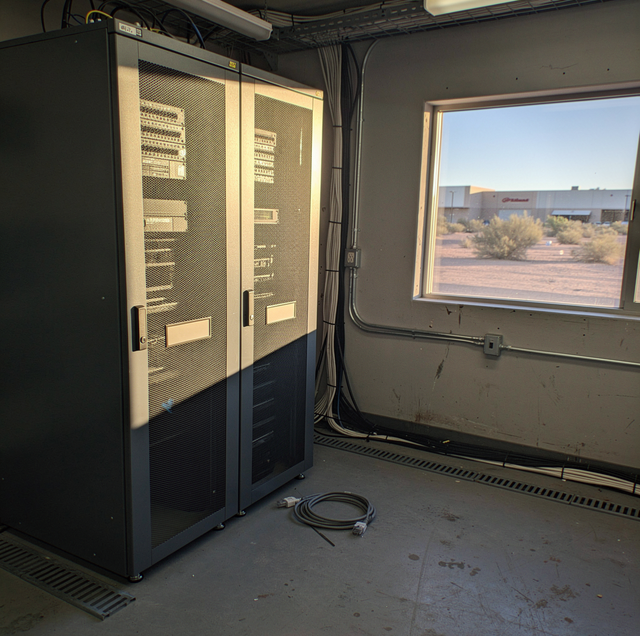
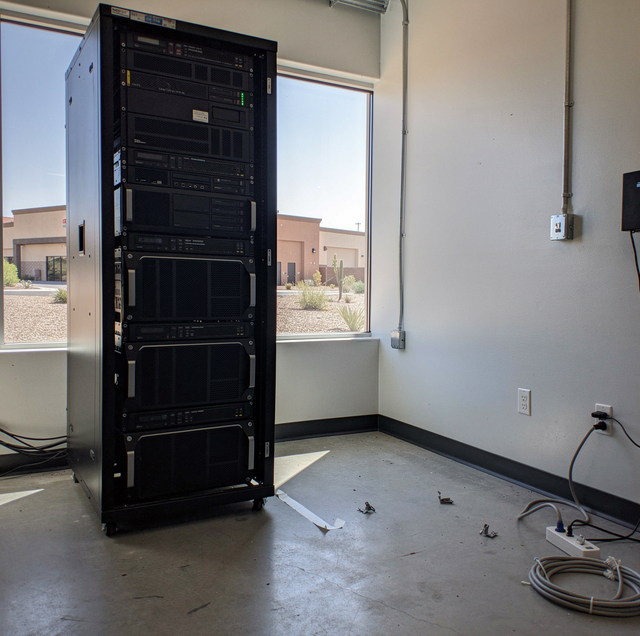
A server rack looks inert until the last uplink comes out of it. The fans keep turning for a few seconds on stored charge, the switch lights blink through one last handshake, and then the rack goes quiet in a room where something had been running without a break. That silence marks the moment your business goes offline, and once it starts, the only question left is how long it lasts.
Everything else about moving your server room or a rack of IT equipment gets planned around that one number. A couch left on a truck an extra hour costs you nothing. A payroll server left un-networked past Monday morning costs you the business itself.
The Move Gets Planned Backward From the Moment It Has to Work Again
The building side of an office relocation (elevator windows, dock reservations, who holds the keys to the space) is a planning problem in its own right. What's covered here is narrower: the room, the rack, and everything running on it.
Every other part of a move starts with a load-out time and works forward from there. A server room move starts with the moment your business needs everything running again, the first login Monday, the first call taken, the first invoice sent, and works backward from it. That's why these moves run overnight or across a weekend: the entire gap between shutdown and restart has to fit within a window when nobody needs the network, and on a standard weekday schedule, that window opens only after hours.
Working backward changes what speed means here. A crew that disconnects everything in record time but leaves the reconnect order to be worked out at the new site has pushed the whole delay into the hour your business is waiting to open. The order things come down, travel, and go back up matters more than how fast any single piece covers the distance.
Rack Gear Doesn't Tolerate What Furniture Does
A fully populated server rack can weigh several hundred pounds, and where that weight sits decides how the frame behaves once it starts to roll. Racks get loaded from the bottom up for that reason: the UPS and the heaviest chassis go into the lowest positions, which keeps the center of gravity down near the casters. Weight carried high is what makes a rack want to tip, so the dangerous configuration is a heavy unit still bolted into an upper position.
WARNING: Strip a rack from the top down. Leaving a UPS or a heavy chassis in an upper position while you pull lighter gear out of the bottom raises the center of gravity of everything still bolted into the frame.
The rails inside a server's housing carry that unit's weight only while it's seated and supported along both sides. Lifting a rack by its faceplate or pulling a mounted unit out by its rail arms puts sliding hardware under load in open air.
Inside that housing, a hard drive tolerates far less shock while spinning than when parked. A platter turns at several thousand revolutions per minute with a read-write head flying a few nanometers above its surface, and a hard jolt during that spin can drive the head straight into the platter. Anything you can safely shut down ahead of the move should be; a database or an appliance that runs continuously and travels live gets its own handling plan.
Temperature works against your equipment from a different direction, and it only works in one of them. Condensation forms on a surface that is colder than the dew point of the air touching it. A chassis that has sat in a cold truck and is then carried into a warm, humid room is the coldest thing in that room, so moisture leaves the air onto its boards, drives, and connectors, including the surfaces sealed inside the case where nobody can see them.
TIP: The wait applies to gear that arrives colder than the room. Give a cold chassis at least two hours to reach room temperature before power-up, and watch the drive cages and the power supply, where moisture lingers longest.
Carry warm equipment out of a hot truck into a cooled server room, and nothing condenses on it: the chassis is the warmer body there, and its surfaces stay above the dew point of the air around them. That asymmetry is why the wait before power-up is worth enforcing after a cold soak and matters much less after a hot one.
Nothing Gets Reconnected From Memory
The lifting takes a few hours. What decides whether your network is up by the next morning or still being sorted out two days later is whether anyone photographed and labeled every cable run and every port before the first cable came loose.
A rack of modest size can carry a hundred or more connections: power, network, storage, out-of-band management, and every one looks the same once it's coiled loose on a table. Without a record tying each cable to its original port and device, reconnecting means testing every plausible combination until something responds, one device at a time.
Labeling before disconnection also surfaces problems the crew would otherwise find at the new site: a cable already miswired, a port already dead, a device quietly drawing power from an outlet nobody accounted for. Photographing the back of your rack from a couple of angles gives whoever reconnects it something a label alone can't: the physical routing between devices. The step adds maybe twenty minutes, and it's the step that gets skipped first when everyone in the room is watching the clock instead of the rack.
Who Signs for It, and Who Holds the Keys
IT equipment raises a question a couch never does: who is responsible for it between the moment it leaves one building and the moment it's plugged back in at the other? That's a custody question, and you want it answered in writing before move day.
A written inventory, signed at pickup and again at delivery, is the baseline: what left the building, in what condition, and who accepted it at each end. For a server room that means serial numbers or asset tags on the higher-value units, spelled out individually rather than folded into a single line reading "one rack of servers." Ask any mover handling IT equipment to put that process in writing, including who on their crew is authorized to be in the room and who at your business signs off before anything leaves.
Access matters as much as the equipment does. The list of people allowed into your server room is shorter than the list allowed into the rest of the office, and moving day is the one day it expands to include movers and IT vendor technicians. Knowing exactly who holds a key or an access code to that room during the move, and confirming that access is revoked once the room sits empty, closes a gap that's easy to miss once your servers are already off-site.
The data on that equipment deserves the same question, even though it never leaves the drives it sits on. Ask whether the load stays locked in the vehicle the entire way, whether the vehicle makes any other stops, and whether a device holding sensitive data is ever out of a crew member's direct control. Get those answers in plain language and in writing before move day.
Where the Mover's Job Ends and IT's Job Begins
A moving crew's job in a server room is physical: lift, wrap, transport, and set the frame and its contents down where your floor plan says. What a crew doesn't do, and shouldn't be asked to do, is decide what gets powered down, in what order, or how it gets reconnected on-site.
That boundary is a matter of competence. A moving crew is trained to keep a four-hundred-pound rack from tipping on a loading ramp. Knowing which server can go dark without breaking anything else running on it is for whoever built or manages your network.
The practical split runs like this: your IT people, in-house or a managed vendor, power everything down in whatever order keeps dependent systems from breaking, and disconnect what needs to be physically separated before the crew touches it. The crew takes over from there: securing rack-mounted units, moving the frame, and placing it in the new room. IT takes the handoff back for power-up and reconnection, working from the labeling and photos taken before anything was unplugged. Each side does the part it's equipped to do, and the planning conversation worth having is the one at that boundary.
What to Have Ready Before the Crew Arrives
A server room move goes fastest when the equipment side of the planning is finished before the truck backs up to the dock. A current inventory of what's in your rack, an IT team or vendor scheduled to handle shutdown and reconnection on the crew's timeline, cables labeled and ports photographed wherever possible, and a clear answer on who signs for custody at each end all belong on that list before move day.
None of it has to be complicated, but it does have to exist in writing, in the hands of whoever runs IT for your business. Once the rack goes quiet, what you wrote down beforehand is what the crew works from that night.
Frequently Asked Questions
How long should IT equipment sit before it's powered back on after a move?
Until the chassis is no longer colder than the room it sits in. A small switch out of a climate-controlled van gets there almost immediately; a heavy chassis that soaked in a cold truck for hours can need most of a night, because the metal mass inside the case lags well behind the outer surface you can touch. One thing shortens the wait: leave the equipment sealed in the plastic it traveled in until it warms, so condensation forms on the outside of the wrap while the board stays dry.
Does a UPS or battery backup need different handling than the rest of the rack?
Yes. A UPS is the one unit in a rack that can still deliver a live charge after everything plugged into it has been shut down, so it gets isolated and confirmed de-energized on its own. Pulling its battery module before transport also removes the single heaviest component from the frame. Battery handling in transit varies by cell chemistry and by carrier, so settle that with whoever is driving.
What happens if a rack is too heavy to move fully loaded?
A populated rack can exceed what's safe to wheel through a standard doorway or onto a passenger elevator. At that point, units come out, and the order matters: work down from the top so the frame is never left light at the bottom with mass still sitting high. The heavy units travel separately, padded and boxed on their own hand truck, while the emptied frame moves as its own piece.
Can spinning hard drives remain installed in a server during the move, or do they need to be removed?
Drives can travel installed, as long as the server is powered down first and the chassis is kept upright and cushioned. Hot-swap bays are worth being clear about: they let a drive be pulled and replaced while the system keeps running, a serviceability feature that carries no implication about how a drive holds up under mechanical shock in a truck. What protects a drive in transit is that its head parks off the platter once power is removed. Older tape units and some storage arrays are exceptions and require their mechanisms to be parked or the media removed.
Who is liable if a server is damaged or lost in transit?
A mover's standard released-value coverage is calculated per pound, which leaves a light but expensive switch or firewall covered for a fraction of what it would cost to replace. Ask whether your higher-value electronics need to be declared under a separate valuation, and get that figure written onto the inventory before pickup; a valuation agreed verbally on move day is the one nobody can produce afterward.
Can part of a server room move happen during business hours instead of overnight or over a weekend?
Sometimes. A system built as a redundant pair can move one half at a time, with the surviving half carrying the load while its twin travels and comes back online. That works only if the receiving room is live before the first half leaves: circuits energized, cooling running, and the uplink turned up by the carrier. Anything with no redundant twin waits for the full outage window.
Talk through your shutdown window with a crew that treats a server room move as a custody job — inventoried, labeled, and signed for in writing at both ends. Aardvark Movers serves Phoenix and the Valley. Call (602) 716-5555.


