
The television is the one thing everyone hovers over on moving day. It is thin, it is awkward, and unlike a couch or a dresser, a wrong move does not leave a scratch you can buff out. It leaves a spiderweb of cracked pixels that no repair shop can undo for less than the price of a new set.
Here is the good news. Almost every TV that dies in a move dies from one of three avoidable things, and once you know what actually breaks a flat-screen, packing one becomes simple.
Why a Flat-Screen Is So Easy to Ruin
The screen is not a solid slab. It is a stack of paper-thin layers, a lit panel, filters, and a sheet of glass, bonded together and held rigid only by the frame around the edge. There is almost nothing behind the center. Press on the middle of a large panel, and it flexes, and the layers inside shear against each other until the display cracks, often on the inside, where you cannot even see the damage until you plug it in.
That is why a TV laid flat on its back during a move is a TV asking to fail. Every bump in the road drives the panel down against whatever is under it, and the unsupported center takes the load. It is the same reason you can carry a pane of window glass on its edge all day, but press your thumb into the middle of it, and it wants to bow and break.
Keep It Upright, Always
The single most important rule is to move a flat-screen standing up, on its edge, the way it sits on your wall. Upright, the rigid frame carries the weight, and the fragile center is never pressed. Laid flat, the center carries everything.
Most manufacturers print exactly this in the manual, which is why the original carton is tall and narrow rather than flat like a pizza box. Keep the TV vertical from the moment it comes off the wall until it is standing in the new house.
Wrap the Screen Before You Box It
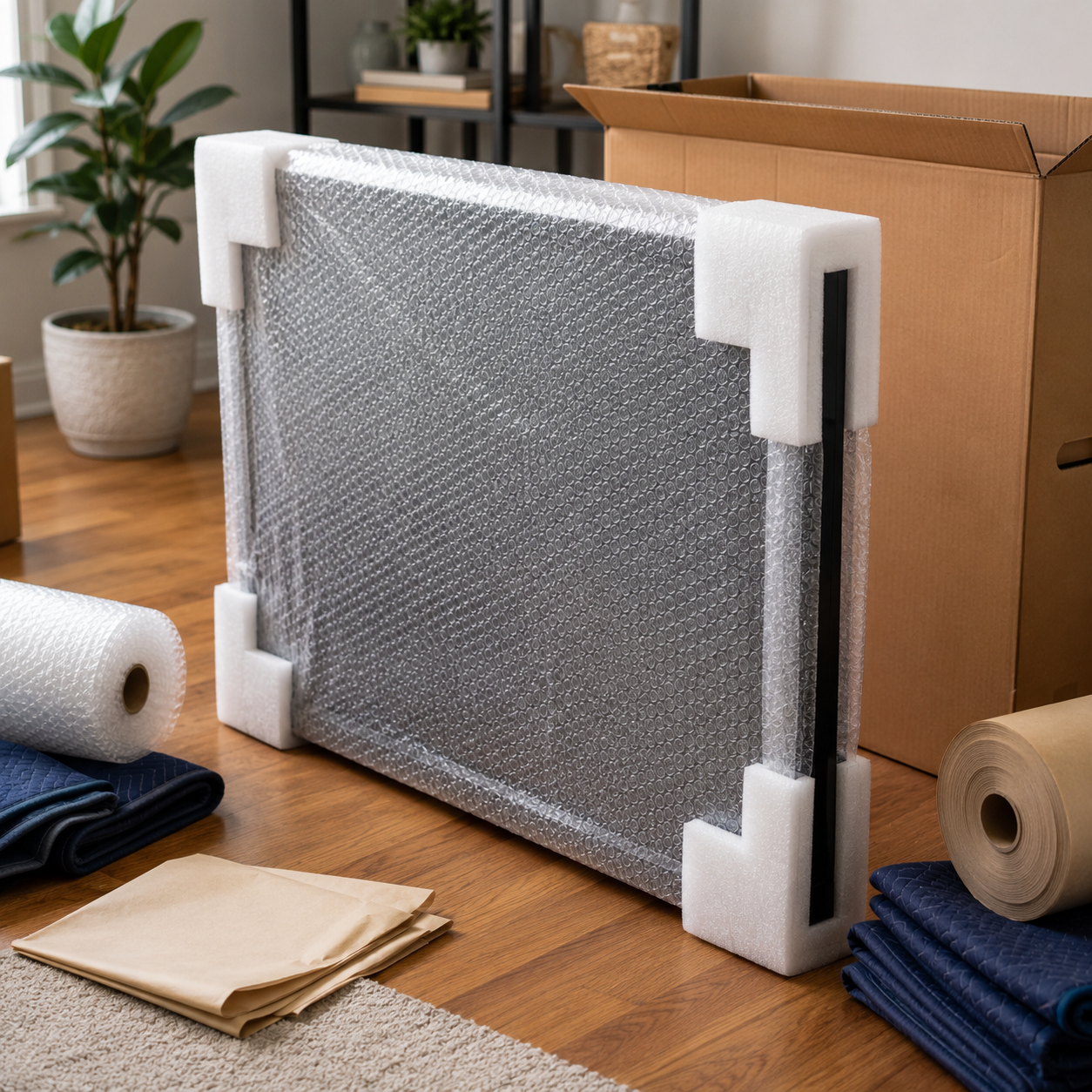
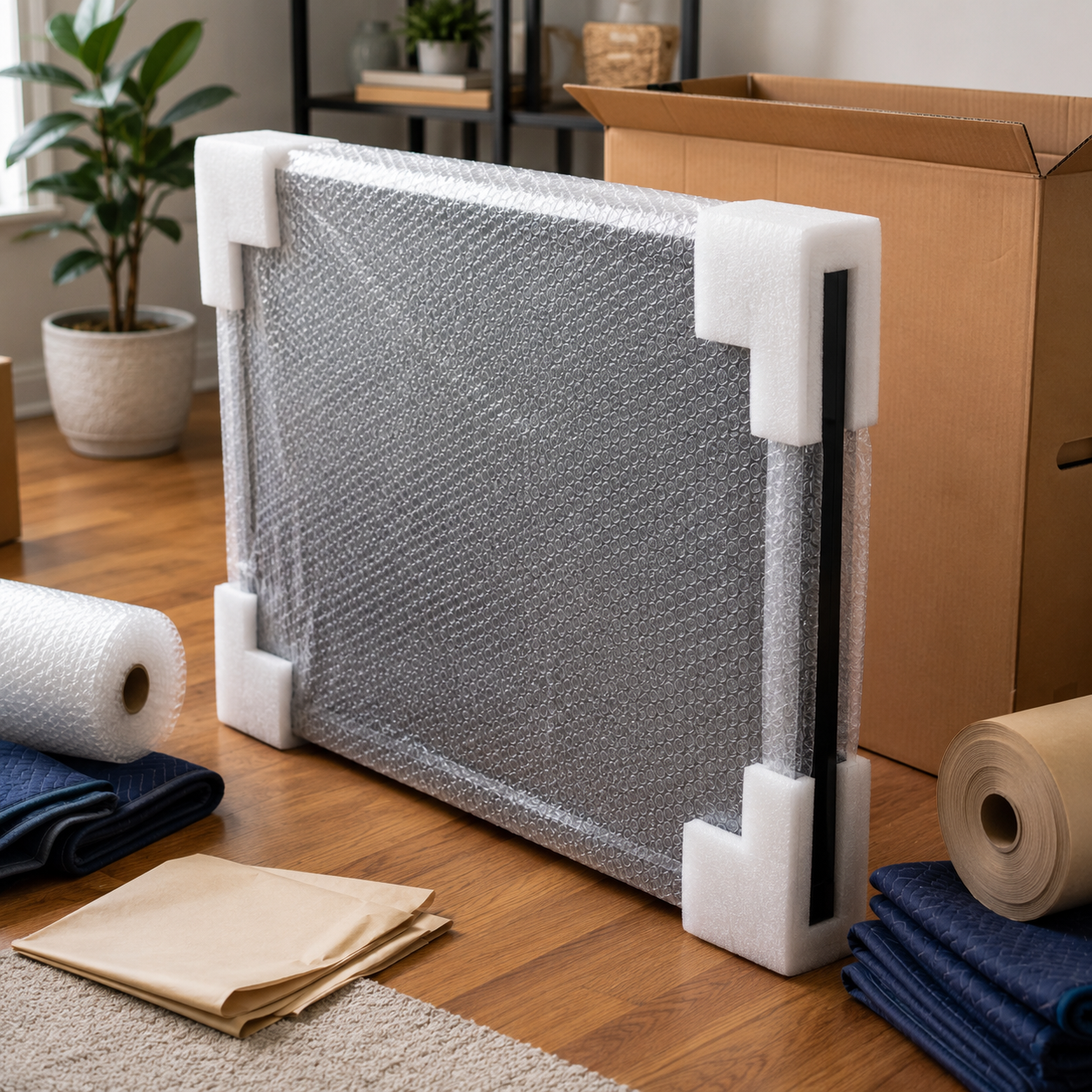
Work from the screen out. Lay a clean moving blanket or a few layers of packing paper over the face first, so nothing hard ever touches the glass. Then add two or three layers of bubble wrap across the whole panel, paying attention to the four corners, which is where drops concentrate their force. Tape the wrapping to itself, never to the screen, since tape adhesive can lift the anti-glare coating right off.
Measure the TV before you buy a box, because a box that is too big lets the set slide and one that is too small crushes the corners. If you saved the original box with its molded foam end caps, use it. Those caps hold the TV in the center of the carton so the panel floats and the corners take any impact. If the box is long gone, a purpose-made TV moving box works the same way, and you fill every gap with blankets or crumpled paper until the TV cannot shift a fraction of an inch inside.
Photograph the ports and cable layout before you unplug anything. A quick picture on your phone turns reassembly from a guessing game into a two-minute job, and it settles any dispute about a connection that was loose before the move.
Heat Adds One More Hazard
There is a hot-climate problem that catches people off guard. A closed moving truck sitting in a summer parking lot is an oven. The interior of a sealed vehicle can reach temperatures above 140 degrees, which is hotter than the maximum storage temperature listed in most TV manuals. Heat that high can warp the panel, stress the internal adhesives, and damage the electronics before the truck ever pulls away.
So the screen is only half the job in hot weather. Load the TV last and unload it first, keep it out of a baking truck for as short a time as possible, and never let it sit overnight in a hot cargo box or a storage unit without climate control. The same rule protects candles, vinyl records, electronics, and anything with a finish that can soften.
How a Crew Handles the Ones That Matter
For an oversized screen, the wall-mounted centerpiece, or anything you would hate to replace, a trained crew treats the TV as its own item rather than one box among many. It gets padded, kept vertical, strapped upright against a flat padded surface in the truck, and loaded where nothing can fall against it. That staging, keeping the panel standing and isolated, is what a blanket and a prayer in the back seat cannot match.
Label the Cables and the Mount Before You Unplug
The move is only half the job; getting the TV working again is the other half, and that is where a rushed teardown can cost you an evening. Before you pull a single cable, photograph the back of the set and the ports so you know exactly what is plugged in where. Coil each cable loosely and bag it. If the TV was on a wall mount, keep the bracket and every screw in one labeled bag taped to the back of the panel. The mount arms and the specific machine screws that fit your model are the easy things to lose, and a hardware store rarely stocks the exact thread. Ten minutes of labeling here turns reassembly into a quick job rather than a scavenger hunt through a pile of boxes.
Frequently Asked Questions
Can I lay my TV flat if I pad it really well?
It is still a gamble. Padding softens a blow, but it does not stop the panel from flexing under its own weight when the truck vibrates for miles. The safest position is always upright on its edge, where the frame carries the load. Save flat-laying for never, if you can help it.
Do I really need the original box?
It helps a lot, but it is not required. The original carton's foam caps center the TV so the screen floats, which is ideal. A TV-specific moving box plus blankets and paper packed tight enough that the set cannot shift does the same job.
How should the TV ride in the truck?
Standing upright, on its edge, strapped flat against a padded vertical surface like the wall of the truck or the side of a dresser. It should never lie flat under other items and never lean at an angle where it can slide. Load it late so it is not buried.
Is heat really a risk for a short drive across town?
For a quick drive, less so, but the danger is the wait. A TV left in a closed truck or an un-cooled storage unit during a hot afternoon can sit above its safe temperature for hours. The screen does not have to be moving to be damaged; it just has to be hot.
Should I unplug the TV and let it sit before moving it?
Modern flat-screens do not need a rest period the way old tube TVs did. Just power it down, unplug it, and coil the cables loosely so nothing yanks a port. Photograph the connections first, and you are ready to wrap it.
What about the stand and the screws?
Bag the stand hardware and screws, label the bag, and tape it to the inside of the TV box or to the stand itself. Losing four specific screws is a surprisingly common way to spend an evening hunting for a hardware-store match after the move.
The Screen Standing Up Is a Screen That Arrives Whole
A flat-screen survives a move when you respect two facts: the fragile center hates pressure, and the panel hates heat. Keep it upright so the frame does the work, wrap it from the glass outward, box it so it cannot shift, and keep it out of a baking truck. Do that, and the most nerve-racking item in the house becomes one of the easiest.
When the TV, the mirrors, and the pieces you cannot replace need to arrive whole, hand them to a crew that packs and stages them right. Aardvark Movers handles residential, apartment, and specialty moves across Phoenix and the Valley, with careful packing and no hidden fees. Call (602) 716-5555 for a free quote.


